
Want to make your WordPress website available in more languages without translating every page manually? If you use Polylang, AI can help you prepare translations faster. This guide explains how AI translation for Polylang works, how to choose an AI provider and how to review translated content before publishing.
What is AI translation for Polylang?
Polylang helps WordPress site owners create and manage multilingual content. It connects translated versions of posts, pages and other supported content so visitors can switch between languages. Polylang provides the language-management layer; an AI translation integration can help generate the translated text.
With AI translation for Polylang, an integration sends eligible source text to a selected AI provider, receives the translation and places the result into the corresponding language version. You should still review the result for meaning, tone, terminology, formatting and local context.
7 powerful benefits of AI translation
- Save repetitive work: Generate a first translation without copying and pasting every paragraph manually.
- Translate more consistently: Use a repeatable provider and review process across related pages.
- Work through larger sites: Bulk workflows can help process multiple eligible posts and pages.
- Keep language versions connected: Continue managing translations through Polylang instead of maintaining unrelated duplicate pages.
- Translate more than paragraphs: Depending on plugin support, include headings, buttons, captions and selected custom fields.
- Localize SEO content: Translate supported SEO titles, descriptions and other metadata, then review them for search intent in each language.
- Scale with human review: Use AI to prepare drafts while editors check important content before it goes live.
Which AI providers can you use?
Available providers depend on the translation plugin, browser and configuration. Common options include:
- OpenAI: Cloud-based models accessed through an API. API access may require an account, an API key and paid usage. Check the OpenAI API pricing before large translation jobs.
- Google Gemini: Google AI models available through supported integrations. Availability, limits and pricing depend on the selected service. Review Gemini API pricing.
- Chrome built-in AI: Browser-provided AI capabilities where the required Chrome version, model availability and browser conditions are supported.
- Microsoft Edge built-in AI: Browser-based capabilities where supported by the installed Edge version and the integration.
A free WordPress plugin does not automatically make every AI provider or API free. Check provider requirements, usage limits and pricing before translating a large website.
How to translate WordPress content with AI and Polylang
1. Configure your languages in Polylang
Install and configure Polylang, add the languages your website needs and confirm that posts and pages have the correct source language. Check the language relationships before starting a translation workflow.
2. Choose a compatible AI translation addon
Choose an integration that supports your WordPress editing workflow and the content types you need. Review its provider options, language handling, compatibility notes and requirements before enabling it on a production site.
3. Configure your AI provider
Select a supported provider and complete its setup. For API-based services, add the required credentials in the plugin settings and test the connection. For browser-based AI, check browser compatibility and whether the relevant tab must remain active.
4. Select the source content and target language
Choose the source post or page and the language you want to create. Confirm that the source content is complete and that the target-language version is correctly associated through Polylang.
5. Generate, review and publish
Generate the translation, then review it before publishing. Check headings, lists, buttons, image captions, links, custom fields and SEO metadata. Confirm that internal links point to the appropriate language versions and that the translated page reads naturally.
What WordPress content should you check?
A multilingual site contains more than post body text. Depending on the integration and its documented support, check these content areas:
- Gutenberg: Block text, headings, buttons, captions, nested blocks and relevant block attributes.
- Elementor: Text and content stored in supported Elementor widgets and templates.
- Custom fields and ACF: Eligible text, textarea and WYSIWYG values, plus supported nested field structures.
- SEO fields: SEO title, meta description and other supported metadata.
- Internal links: Links to translated posts, pages and language-specific destinations.
- Media: Image titles, alt text, captions and other translatable media information where supported.
Support for AI translation for Polylang varies between plugins and field types. Test representative content on a staging site before running bulk translations across a large website.
Can you bulk translate WordPress content?
Some AI translation integrations provide bulk or queue-based workflows to process multiple eligible items without opening each one individually. Before starting a bulk job, check the selected content, target language, provider limits and estimated usage. Process a small batch first, review the output and then continue.
Introducing TranslateSense for Polylang
TranslateSense is an AI translation addon for WordPress websites that use Polylang. It is designed to bring AI-assisted translation into a multilingual WordPress workflow, with provider options and content-handling features depending on the installed version and configuration.
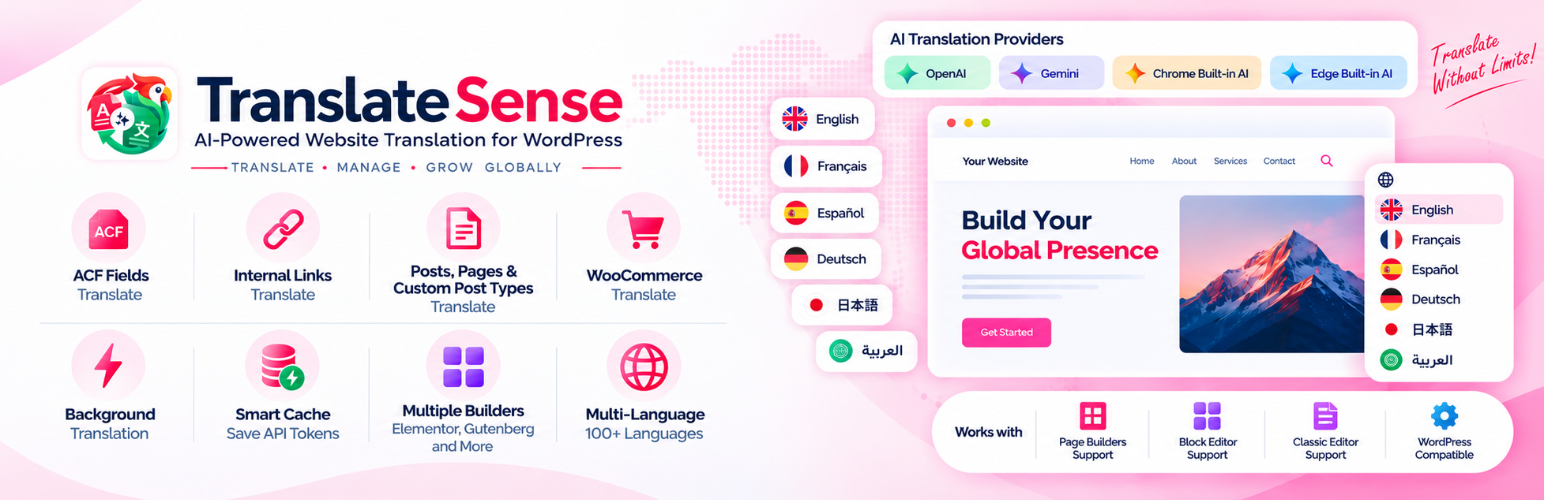
If you are evaluating AI translation for Polylang, review the current TranslateSense feature list, supported providers and setup requirements on the Dragwyb website. Check compatibility with your theme, editor, custom fields and SEO setup before using it on a live site.
Frequently asked questions
Can Polylang translate content automatically?
Polylang manages multilingual content and language relationships. Automatic AI translation generally requires a compatible translation integration or an external translation service.
Is AI translation for Polylang free?
The cost of AI translation for Polylang depends on the plugin and provider. A free plugin may still connect to an API that charges for usage. Browser-based AI features may have their own availability and device requirements.
Can AI translate Gutenberg and Elementor content?
Some integrations support Gutenberg blocks and Elementor content, but coverage differs. Confirm which blocks, widgets, templates and attributes are supported by the specific plugin you choose.
Should I review AI-generated translations?
Yes. Review important translations for accuracy, tone, formatting, links and local terminology. Human review is particularly important for legal, medical, financial and product-specific content.
Final thoughts
AI translation for Polylang can make multilingual publishing more efficient by helping you prepare translation drafts and process eligible content faster. The best workflow combines a compatible integration, a correctly configured provider, accurate language relationships and human review before publication. Start with a small test, verify the translated pages and scale your workflow when the results meet your quality standards.
