

Best Contact Form 7 addons can help you extend Contact Form 7 when your website needs better form design, international phone inputs or additional visitor guidance. This guide compares useful addon categories and explains what to check before installing an extension.
Best Contact Form 7 addons
Choose the best Contact Form 7 addons based on the specific problem you need to solve, compatibility with your current setup and the way the extension handles visitor data.
Contact Form 7 is a popular way to add contact forms to WordPress. Its straightforward form-tag system works well for basic enquiries, but many websites need a more polished design and a better experience for visitors.
That is where Contact Form 7 addons become useful. The right extension can improve the way a form looks, make phone-number entry easier for international visitors, or help visitors understand what information a field requires.
This guide explains the main types of Contact Form 7 extensions to consider, what to check before installing one, and how to choose an addon that fits your website without adding unnecessary plugins.
What can Contact Form 7 addons do?
Addons extend Contact Form 7 with capabilities that are not part of your current form setup. Depending on the extension, they may improve design, add fields, change submission workflows, or connect forms with other services.
- Form design: Customize field appearance, spacing, labels, buttons and form layouts.
- International phone inputs: Make it easier for visitors to enter a phone number with the correct country calling code.
- Floating labels: Use labels that move out of the way when visitors interact with an input.
- Label tooltips: Provide extra context without making every form label lengthy.
- Submission management: Use a compatible extension when you need a separate record of form entries.
- Conditional fields and redirects: Add these only if your chosen extension explicitly supports the workflow you need.
1. Enhanced Addon for Contact Form 7 by Dragwyb
Best for: improving the appearance and usability of existing Contact Form 7 forms.
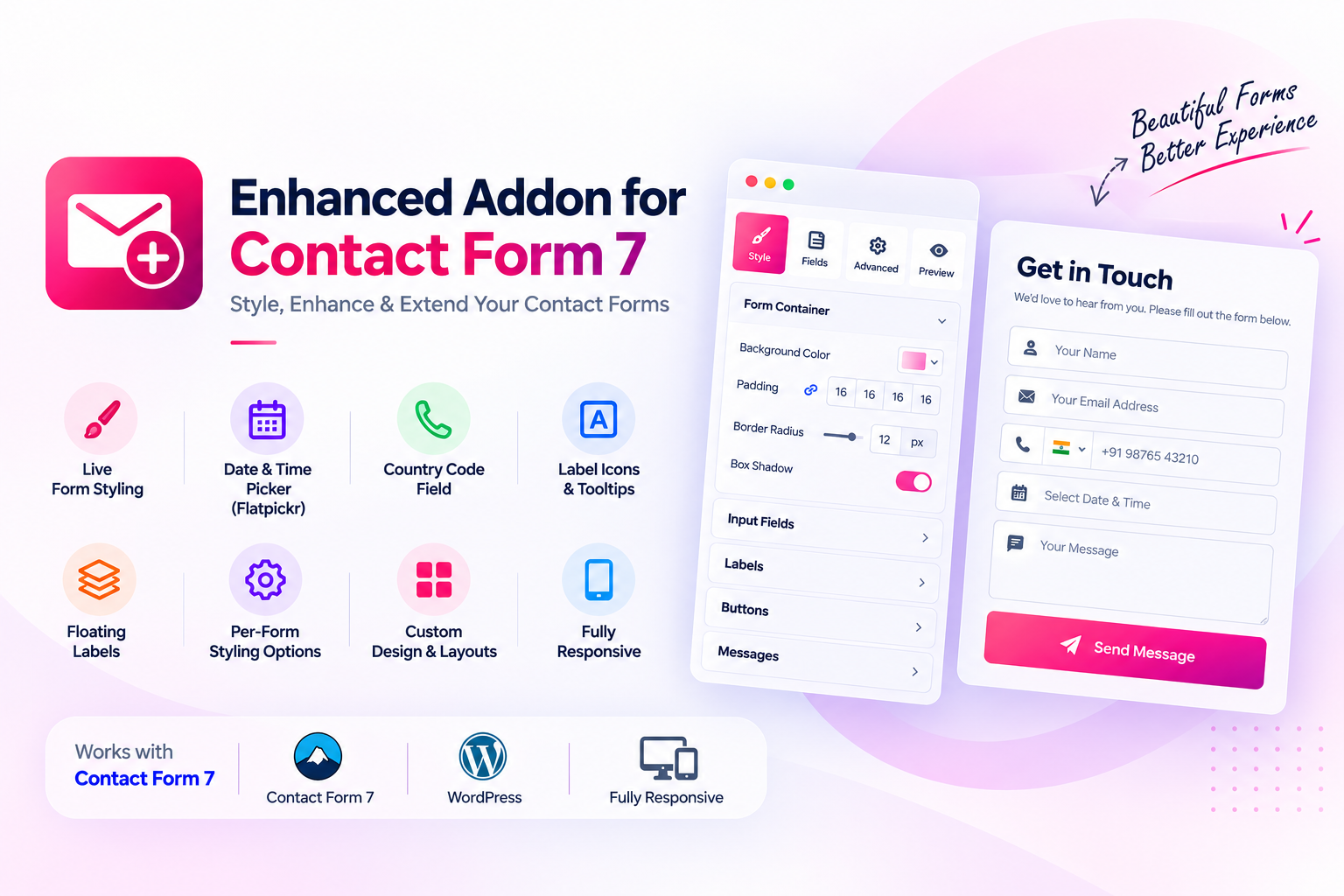
Enhanced Addon for Contact Form 7 by Dragwyb focuses on visual form improvements. It is useful when your existing forms work but you want a more refined interface without manually styling every detail.
Key features
- Country code support: Help visitors select or use an international calling code with phone-number fields.
- Floating labels: Give input fields a modern label treatment while keeping field context visible.
- Label tooltips: Add helpful explanations to labels when a field needs extra instructions.
- Form styling: Customize the appearance of Contact Form 7 forms to better match your website.
- Live preview: Preview design changes while working on the form instead of relying only on repeated frontend checks.
These features are particularly relevant to business websites that collect enquiries from visitors across different countries or want a consistent design across their forms.
Explore: Visit Dragwyb products and find Enhanced Addon for Contact Form 7.
2. Conditional Fields for Contact Form 7
Best for: showing different questions based on a visitor’s answers.
Conditional-field extensions are useful when a form needs to adapt to the visitor. For example, a service enquiry form might ask different follow-up questions depending on whether someone selects design, development or maintenance.
Before choosing an extension, check which field types and condition rules it supports, whether groups can be nested, and how it behaves when a visitor changes an earlier answer.
Plugin directory: Conditional Fields for Contact Form 7.
3. CFDB7 – Database Addon for Contact Form 7
Best for: keeping a copy of form submissions in WordPress.
Contact Form 7 is primarily an email-based form plugin. If you also need to review entries in the dashboard, a database extension can provide a separate submission archive. CFDB7 is one established option in this category.
Check export options, access permissions, retention controls and compatibility with your current Contact Form 7 version before relying on a database addon for business records.
Plugin directory: Database Addon for Contact Form 7 – CFDB7.
4. Redirection for Contact Form 7
Best for: sending visitors to a thank-you page after a successful submission.
A dedicated thank-you page can explain what happens next, provide useful resources or help you measure a conversion. A redirection extension can be useful when the default inline confirmation is not enough.
Verify that redirects happen only after successful submissions and that validation errors do not send visitors away from the form.
Plugin directory: Redirection for Contact Form 7.
How to choose the right Contact Form 7 addon
Start with the problem you want to solve
Do not install an addon just because it has a long feature list. Identify the gap first: design, international phone entry, submission storage, conditional questions or post-submission navigation.
Check compatibility and maintenance
Review the plugin’s recent updates, supported WordPress and Contact Form 7 versions, documentation, support activity and known conflicts. Test important forms after updates, especially forms that collect business enquiries.
Consider privacy and data handling
Forms often collect personal information. Understand where entries are stored, who can access them, how long they are retained and whether the plugin sends information to an external service.
Test the full visitor journey
Test required fields, invalid input, mobile layouts, keyboard navigation, success messages and email delivery. A form that looks good but fails during submission is not a good user experience.
When comparing the best Contact Form 7 addons, check whether each extension solves a distinct requirement and whether it is actively maintained. For example, a design-focused addon may provide styling, floating labels, tooltips and country code support, while another plugin may focus on storing submissions. The best Contact Form 7 addons are the ones that fit your forms without introducing overlapping features or unnecessary maintenance.
Before installing the best Contact Form 7 addons for your site, check whether their features overlap and whether they are maintained. Choose the best Contact Form 7 addons based on compatibility, support and the specific form workflow you need.
Frequently asked questions
Are Contact Form 7 addons free?
Some are free, some offer paid upgrades, and some are commercial products. Check the current plugin listing and feature limits before installing.
Can I customize the design of Contact Form 7?
Yes. You can use CSS or a compatible styling addon. A visual styling tool with live preview can make design adjustments easier to review.
Can Contact Form 7 collect international phone numbers?
Yes, with a compatible phone-field or country-code extension. Check how the addon handles country selection, formatting and validation.
Should I install several Contact Form 7 addons?
Install only the extensions that solve real requirements. Too many overlapping addons can increase maintenance and make troubleshooting more difficult.
Quick comparison: which type of addon do you need?
The right choice depends on the gap in your current form workflow. A design addon is not a replacement for submission storage, and a database extension does not automatically improve the appearance of a form.
- Form appearance: Choose a styling addon when you need consistent fields, labels, buttons or a live preview.
- Conditional questions: Choose a conditional-fields extension when later questions depend on earlier answers.
- Submission records: Choose a database addon when your team needs to review entries inside WordPress.
- Thank-you navigation: Choose a redirect extension when successful submissions should lead to a dedicated page.
Before installing an extension, review its update history, compatibility notes, support documentation and data-handling behavior. Test it on a staging site with a copy of your important forms. Avoid installing multiple addons that provide overlapping controls unless you have verified that they work together.
Final thoughts
The best Contact Form 7 addon depends on what your forms need. A database extension helps with submission records, conditional fields can make complex forms more relevant, and a visual addon can improve the visitor experience.
If your priority is a cleaner form design, country code support, floating labels, label tooltips and live preview, consider Enhanced Addon for Contact Form 7 by Dragwyb. Choose features based on your real workflow, then test the complete form on desktop and mobile before making it part of an important lead-generation process.
Explore Enhanced Addon for Contact Form 7
If your priority is form presentation and visitor experience, explore Enhanced Addon for Contact Form 7. Its features include country code support, floating labels, label tooltips, form styling and live preview. See the official WordPress.org plugin page for plugin information and release details.
For the core form plugin, visit the official Contact Form 7 website.
