
The best live chat plugins for WordPress help visitors contact a business through the channel that suits them. This guide compares different chat approaches and explains what to check before choosing a plugin.
Choosing the best live chat plugins for WordPress starts with identifying the conversation workflow your visitors need.
Visitors often have questions before they buy, register or contact a business. If they cannot find an answer quickly, they may leave your website and look elsewhere. A live chat plugin for WordPress can give visitors a direct way to ask questions while they browse.
Best live chat plugins for WordPress
Use the steps and checks in this guide to choose an approach that fits your website, then test the result with real form or chat interactions.
Recommended plugin for this workflow
Dragwyb Click to Chat provides a related WordPress solution. You can also review its WordPress.org plugin details and advanced information.
Not every chat tool works in the same way. Some provide a real-time agent inbox, some automate common questions with AI, and others add buttons that open WhatsApp or another messaging app. Understanding that difference is the first step toward choosing the right solution.
What should you look for in a WordPress live chat plugin?
- Chat type: Decide whether you need real-time human chat, an AI chatbot, a messaging-app button or a combination.
- Agent inbox: Check whether conversations can be assigned, transferred and answered by multiple team members.
- Offline behavior: Find out what visitors see when nobody is available. An offline form or clear response-time message is better than an unanswered chat prompt.
- Automation: Look for greetings, routing, FAQs, automated replies and AI features only if you will configure and maintain them.
- Integrations: Check support for WooCommerce, CRM tools, email and the messaging channels your customers already use.
- Performance: Review what scripts load on every page and whether the widget can be delayed or loaded on selected pages.
- Privacy: Understand where conversation data is stored, which providers process it and how long it is retained.
8 WordPress chat plugins and tools to compare
1. LiveChat – Live Chat Plugin for WP Websites
Best for: businesses that want website chat alongside calling and messaging features.
3CX provides a WordPress chat integration as part of a broader communications platform. It is worth evaluating if your team wants to connect website conversations with a wider phone and messaging workflow. Review its current hosting, user and setup requirements before choosing it.
View LiveChat on WordPress.org.
2. Tawk.to Live Chat
Best for: getting started with a dedicated live-chat service.
Tawk.to is a widely used live-chat service with a WordPress plugin. It is a practical option to evaluate when you want agents to answer visitor messages through a separate chat dashboard. Check the current account features, branding options and add-on costs on the provider’s website.
View Tawk.to on WordPress.org.
3. Tidio – Live Chat and AI Chatbots
Best for: combining live chat with chatbot automation.
Tidio combines a website chat widget with chatbot and customer communication features. It may suit a business that wants to start with human conversations and explore automated responses as its support volume grows. Check the current conversation limits and AI plan details before committing.
4. HubSpot
Best for: connecting conversations with contact management and CRM workflows.
HubSpot’s WordPress plugin brings several marketing and customer-management tools together, including chat-related functionality. Consider it when your team wants website conversations to fit into a broader contact and lead-management process. Review account requirements and branding or feature limits for the plan you choose.
View HubSpot on WordPress.org.
5. Crisp
Best for: teams looking for a shared customer communication workspace.
Crisp offers live chat and chatbot functionality through its platform. It is worth comparing if you want a shared inbox experience and additional customer communication tools. Confirm which features are included in the plan you intend to use.
6. JivoChat
Best for: businesses comparing live chat with omnichannel communication.
JivoChat positions itself around live chat and customer communication across channels. Review the available integrations, agent workflow and plan limits to see whether it fits your support operation.
View JivoChat on WordPress.org.
7. Dragwyb Click to Chat
Best for: WordPress sites that want social contact channels, an AI assistant and a support-center workflow.
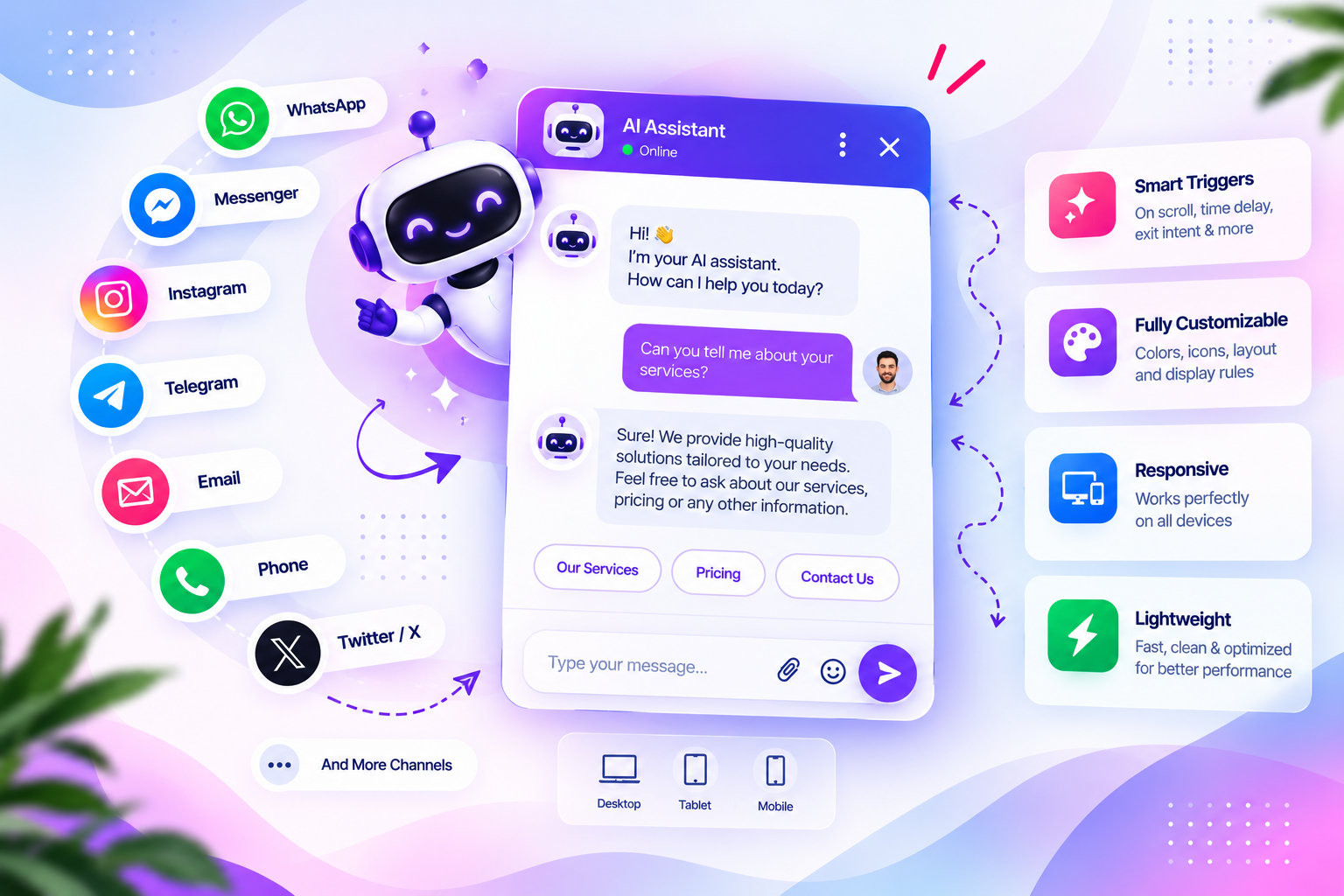
Dragwyb Click to Chat is not simply a traditional hosted live-chat inbox. It brings together three separate modules: a Social Channels Widget, an AI Assistant and a Support Center. The social widget can give visitors contact options such as WhatsApp, Telegram, phone and email; the AI Assistant can answer questions using configured website knowledge; and the Support Center provides a ticket-based workflow for customer requests.
This distinction matters: choose a dedicated live-chat service if your main requirement is a real-time agent inbox. Consider Dragwyb when you want visitors to choose a messaging channel, ask the AI assistant a question or submit a support request through a helpdesk workflow.
Explore Dragwyb Click to Chat or read the feature overview.
Live chat vs chatbot vs click-to-chat: what is the difference?
| Type | How it works | Best use |
|---|---|---|
| Live chat | A human agent replies through a chat inbox. | Real-time sales and support conversations. |
| AI chatbot | An automated assistant responds using configured instructions or knowledge. | Frequently asked questions and first-line assistance. |
| Click-to-chat | A button opens WhatsApp or another messaging destination. | Moving visitors to a channel your team already uses. |
| Helpdesk | Requests are recorded and handled as tickets. | Trackable support requests and follow-up. |
Some platforms combine several of these approaches, but the terms are not interchangeable. Confirm the actual workflow before choosing a plugin.
How to choose the right option for your website
For a small business
Start with the channel your customers already use and the hours your team can respond. A simple messaging button may be enough if you handle conversations in WhatsApp. If you need several agents to reply from a shared inbox, evaluate a dedicated live-chat service.
For an online store
Check whether the chat tool can support product questions, order-related conversations and handoff to a human. Test it on product, cart and checkout pages to make sure the widget does not cover important controls.
For a support team
Look for agent assignment, conversation history, ticket creation, internal notes, notifications and clear status management. A live-chat widget alone may not provide the case-management workflow your team needs.
Performance, privacy and accessibility checklist
- Test the widget on mobile and desktop.
- Check whether it covers cookie notices, navigation or checkout buttons.
- Review the scripts and external requests loaded by the plugin.
- Configure a clear offline message and realistic response expectations.
- Make sure the widget can be operated with a keyboard where applicable.
- Review the provider’s privacy policy and data-retention settings.
- Test the complete visitor journey before enabling it across the site.
To compare the best live chat plugins for WordPress, look beyond the chat bubble and check the full support workflow: agent availability, conversation history, mobile behavior, routing and integrations. Some tools focus on human live chat, while others add AI responses or messaging-channel buttons. The best live chat plugins for WordPress for a small support team may not be the right fit for a store with multiple agents, so match the feature set to your actual workload.
Shortlist the best live chat plugins for WordPress by testing their actual inbox and visitor experience, not only their feature lists. The best live chat plugins for WordPress should fit your team’s response process, website performance needs and preferred communication channels. Compare the best live chat plugins for WordPress on a staging site before choosing one for a high-traffic website.
Frequently asked questions
Does WordPress include live chat by default?
WordPress does not include a built-in live-chat agent inbox. You can add one using a plugin connected to a chat provider or by embedding a provider’s supported widget.
What is the best free live chat plugin for WordPress?
The best option depends on current plan limits, agent seats, conversation volume and the features you need. Compare the current free plans directly rather than assuming that every feature is unlimited.
Is a WhatsApp button the same as live chat?
No. A WhatsApp button usually opens a WhatsApp conversation, while a live-chat plugin typically connects the visitor to an agent inbox on the website or provider platform.
Can I use an AI chatbot and live chat together?
Yes, some platforms combine AI assistance with human support. Check how escalation works and whether visitors can reach a person when the automated assistant cannot resolve a question.
Final thoughts
The right WordPress chat plugin depends on the kind of conversation you want to support. A live-chat service is suitable for real-time agent replies, an AI chatbot can help answer common questions, a click-to-chat widget connects visitors to messaging apps, and a helpdesk keeps support requests organized.
Define the workflow first, compare the actual features and plan limits, and test the widget on your own website before rolling it out.
