
AI translation for Polylang free options can help you test a multilingual WordPress workflow, but “free” can mean different things. A plugin may be free to install while the AI provider charges for API requests. Other tools may use supported browser-based AI, subject to device, browser and model availability. Before choosing an addon, compare the plugin features, provider costs, usage limits and the amount of content you need to translate.
So, can you translate a WordPress website with Polylang for free? Sometimes you can test a workflow without paying, but the answer depends on the plugin, provider, usage limits and amount of content you need to translate. Here is what to check before choosing a solution.
Table of Contents
What Does AI Translation for Polylang Free Actually Include?
There are three separate parts to consider: Polylang, the translation addon and the AI provider. Polylang handles languages and links between translated content. The addon connects the translation workflow to WordPress. The AI provider generates the translated text.
A free addon does not necessarily include free AI usage. When comparing AI translation for Polylang free options, check whether the addon includes the provider connection you want and whether usage is limited. If it sends text to a cloud API, the provider may require a paid account or charge based on usage. If it relies on browser-based AI, access may depend on browser support, model availability and local device conditions.
4 Ways to Get AI Translation for Polylang Free or at a Lower Cost
1. Translate manually
You can create language versions and write the translations yourself. This gives you direct control over wording and does not require an AI API, but it takes time. It can be a practical option for a small site or for pages where specialist language matters.
2. Compare AI Translation for Polylang Free Addons
Some addons can be installed without an upfront plugin fee. Read the feature list carefully: check whether the free version includes the provider integration you want, whether usage is limited, and whether advanced content types require an upgrade. Also check when the plugin was last updated and whether it supports your WordPress setup.
3. Connect a cloud AI provider
Cloud providers such as OpenAI and Google Gemini offer models through APIs. Your integration may need an API key, and usage may be billed separately from the WordPress plugin. Review the current OpenAI API pricing and Gemini API pricing before translating a large site. Prices and free allowances can change, so use the provider’s official page for the latest details.
4. Try supported browser-based AI
Some translation workflows can use AI capabilities provided by a browser. This may avoid a separate cloud API charge for certain tasks, but it is not a universal free service. Browser version, operating system, model availability, device capability and active-tab requirements can all affect whether it works.
How to Compare AI Translation for Polylang Free and Paid Costs
Before choosing a solution, estimate how much content you will translate. A five-page brochure site is very different from a store with hundreds of products and frequent updates. Use that estimate to decide whether a free tier of AI translation for Polylang can cover your expected content volume. The number of languages, length of each page and number of revisions can all affect the total workload and provider usage.
- Plugin price: Is the integration free, paid or split into free and premium features?
- Provider usage: Does the AI service charge per request, token or another usage unit?
- Limits: Are there daily quotas, monthly limits or restrictions on bulk processing?
- Content coverage: Does it handle your editor, custom fields, SEO metadata and post types?
- Review time: How much editing will a person need to do after the first translation?
- Maintenance: Will you need to repeat translations when source content changes?
How to Test AI Translation for Polylang Free Options Safely
Start with one representative page
Choose a page that includes the types of content your site actually uses: headings, lists, images, buttons and internal links. If you use Elementor or ACF, include a page with those elements too. A plain paragraph-only test will not tell you whether the integration fits your whole website.
Check the translated structure
Make sure headings remain headings, lists remain lists and links still point to the right destination. Check that the new language version is connected to its source through Polylang. Do not assume that a successful AI response means the complete WordPress page has been translated correctly.
Review provider usage before scaling
Check the provider dashboard or usage report after the test. If the workflow uses an API, note the amount of text processed and the resulting cost. Then estimate the cost of a larger batch before you run it.
Is AI Translation for Polylang Free with TranslateSense?
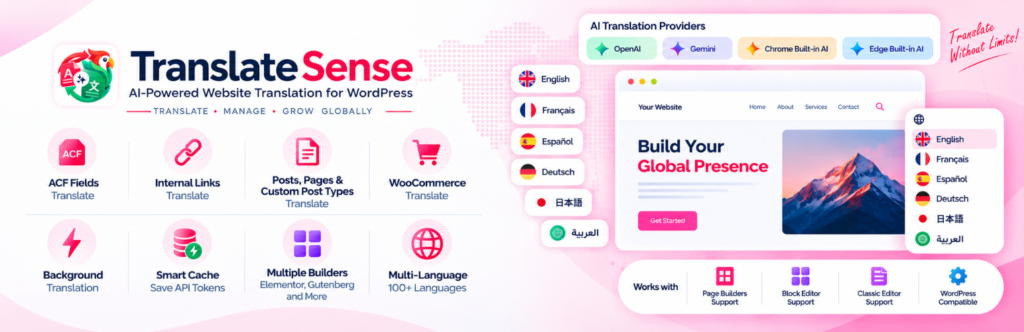
TranslateSense is an AI translation addon for WordPress websites using Polylang. The cost of using a translation workflow depends not only on the plugin version but also on the provider and method you select. In particular, API-based translation can have separate provider charges. Check the current TranslateSense listing and documentation for the latest plugin features and requirements rather than assuming every provider is free.
For a broader overview of the workflow, read our guide to AI translation for Polylang. For setup details, see the article on automatic translation with Polylang. When comparing AI translation for Polylang free options, also review the provider’s current usage limits.
Frequently asked questions
Is there a completely free AI translation plugin for Polylang?
You may find free plugins or free tiers, but that does not guarantee unlimited free AI usage. When comparing AI translation for Polylang free plans, check whether the addon includes the provider connection you need and whether the provider itself charges for requests.
Can I use Gemini or OpenAI without paying?
Provider pricing and free allowances depend on the current service, account and model. Check the official pricing and terms before relying on a free allowance for ongoing website translation.
Does Polylang include AI translation?
Polylang provides multilingual content management. AI-generated translation normally comes from a compatible integration or an external translation service.
Is browser-based AI always free?
No. Browser-based features can have device, version, availability and usage conditions. Confirm the requirements for the browser and integration you plan to use.
Final Thoughts on AI Translation for Polylang Free Options
The best AI translation for Polylang free option is not necessarily the one with the lowest plugin price. Look at the full cost: provider usage, content coverage, limits and the time needed to review translations. Test one real page, check the output and measure usage before committing to a workflow for your entire site.
